
If you’ve ever stared at two weapons with similar attack ratings and wondered why one feels so much harder-hitting than the other, the answer lies in motion values – and now there’s a dedicated tool to explore them.
What Is the Motion Values Viewer?
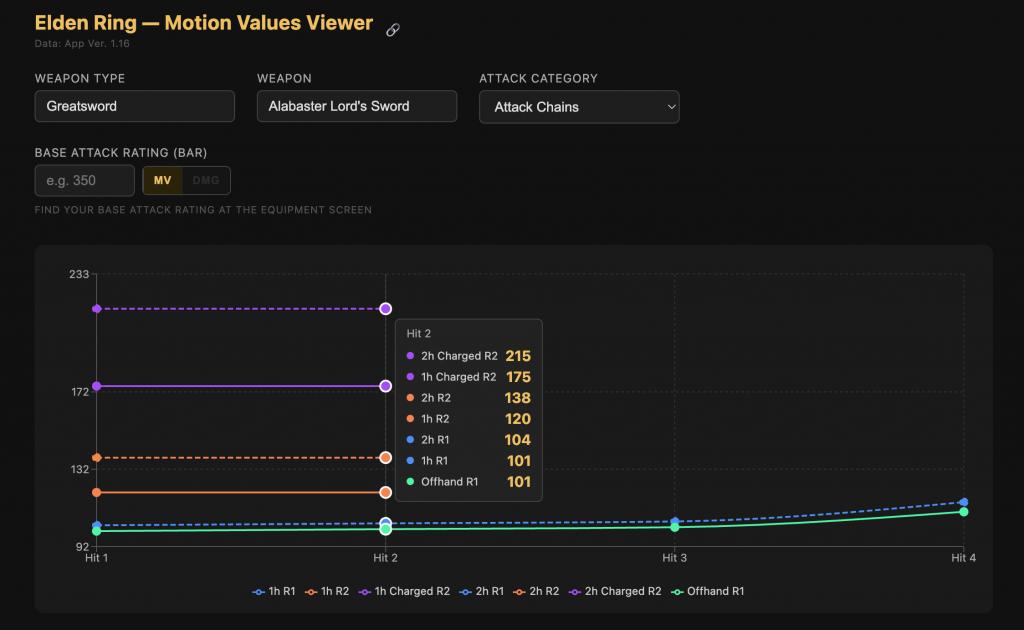
The Motion Values Viewer is an interactive web tool embedded right here on Tarnished Traveler. It visualizes the motion value data from the community spreadsheet ER – Motion Values and Attack Data (App Ver. 1.17), covering over 400 weapons across 40 weapon classes. Every attack, every hit, every critical – laid out visually so you can actually see what’s going on under the hood.
How to Use It
Three dropdowns control what you see: Weapon Type, Weapon, and Attack Category. Both the Weapon Type and Weapon fields are searchable – just start typing and the list filters instantly. No scrolling through 40 entries to find your Katana.
The Attack Category splits your weapon’s moves into logical groups:
- Attack Chains – your R1/R2 sequences, shown as a line chart so you can follow how damage scales through a combo
- Situational Attacks – running, rolling, jumping, backstep attacks, grouped by 1h and 2h
- Critical Attacks – backstabs, ripostes, and shieldpokes
- Paired Attacks and Mounted Attacks – for weapons that have them
Hover over any bar or data point to see the exact values.
The DMG Mode: Where It Gets Really Useful
Here’s where the tool goes beyond a simple data table. Enter your weapon’s Base Attack Rating – that’s the number displayed next to your weapon on the equipment screen, already factoring in your stat scaling and upgrade level – and flip the toggle from MV to DMG.
Every value in the chart updates instantly to show real damage output for your specific build. Want to know exactly how hard your Moonveil’s Charged R2 hits at your current stats? Type in your BAR and you’ll see it immediately.
For multi-hit attacks like ripostes, the tool shows each hit as a separate bar in the chart. An important caveat is displayed right in the tooltip: enemy defenses are applied to each hit individually, so you can’t simply add the numbers together to get your total damage. Each hit needs to be considered on its own terms.
Sharing Builds
Found a weapon setup you want to show a friend? Hit the share icon next to the title – it copies a direct link to your current weapon selection to your clipboard. Anyone who opens that link lands straight on the same weapon and weapon type, no configuration needed.
Who Is This For?
Honestly, anyone who takes their damage optimization seriously. Whether you’re theory-crafting a PvP build, deciding between two weapons at the same upgrade level, or just curious why your jumping attack hits harder than your R1 – the viewer gives you the numbers to work with rather than gut feel.
New to motion values entirely? Our article Motion Values in Elden Ring: The Hidden Dance of Damage covers the fundamentals before you dive into the data.
Leave a Reply