Welcome to the Elden Ring “Weapon Mastery Challenge” Generator documentation. Here you should find all the information about the user interface and how selecting certain options for the generator influences the generated list of challenges. Learn to know the different “Challenge Modes” and the options to tweak your weapon mastery challenge experience.
So, why is this a “Weapon Mastery Challenge“? Simple, you have a randomly assigned selection of weapons available for your run. Most objectives will have a specific weapon type in their description that you have to use (e.g. “Complete dungeon Giant Conquering Heros Grave using Halberds”). If no weapon type is stated in an objective you can freely choose from all the weapon types assigned to the run, but no other. You also have the possibility to specifically select the weapon types you want to use in your run. The generator will use this pool to assign weapon types to objectives, but there is not guarantee that all of them will be used.
Key Details For Your Run
Starting Conditions
- Begin with a fresh character
- You may use your starting class weapon for obtaining a proper challenge weapon
- You may not complete challenges with your starter weapon, if it is not among the available weapon types – that will not count toward progress
- Once you acquire a weapon that matches one of the available types, you must switch to using only allowed weapon types
- From that point forward, no using weapons outside your selected types
Difficulty Restrictions
- Follow indicated maximum weapon upgrade levels if level restriction is active
- Stay within recommended character level ranges if level restriction is active
- Apply any special challenge modifiers (e.g., “no healing flasks”) throughout the entire challenge. If a restriction is impractical or inappropriate (things that should not occur but might), you are freed from enforcing it.
Challenge Completion
- Dying during a challenge is allowed unless you apply the restriction “No Death” on yourself
- Weapon type restrictions only apply when stated in challenge text. Otherwise you can choose one of the available types as you like.
- Area-locked mode allows traveling into other areas/regions unless you apply the restriction “Area Bound” on yourself
- For NPC invasions: Counts if NPC dies by any means (falling, etc) while using correct weapon type
- Multiple-target challenges: Can be completed across different areas/regions unless specified
- Summoning is allowed unless restricted by challenge modifier
- Challenge order can be completed in any sequence (except area-locked progression)
Timer Rules
- Start timer before beginning first challenge
- Timer continues during inventory management and travel
- Pausing only allowed for real-life interruptions
- Countdown mode: Must complete all challenges before time expires
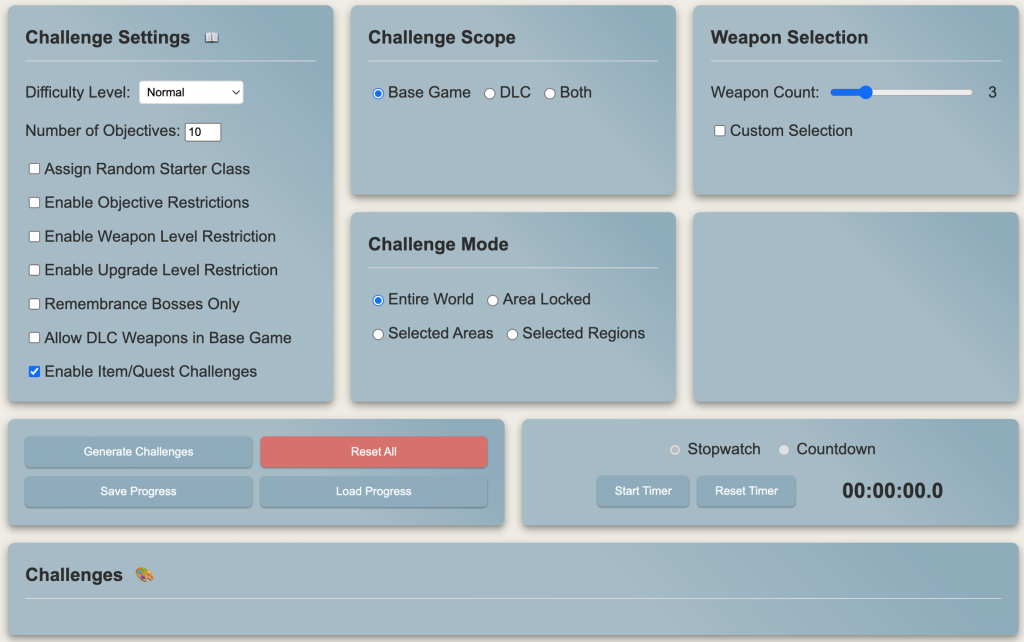
Let’s have a look at the various custom options for adjusting the challenge generation, shall we?
Challenge Settings
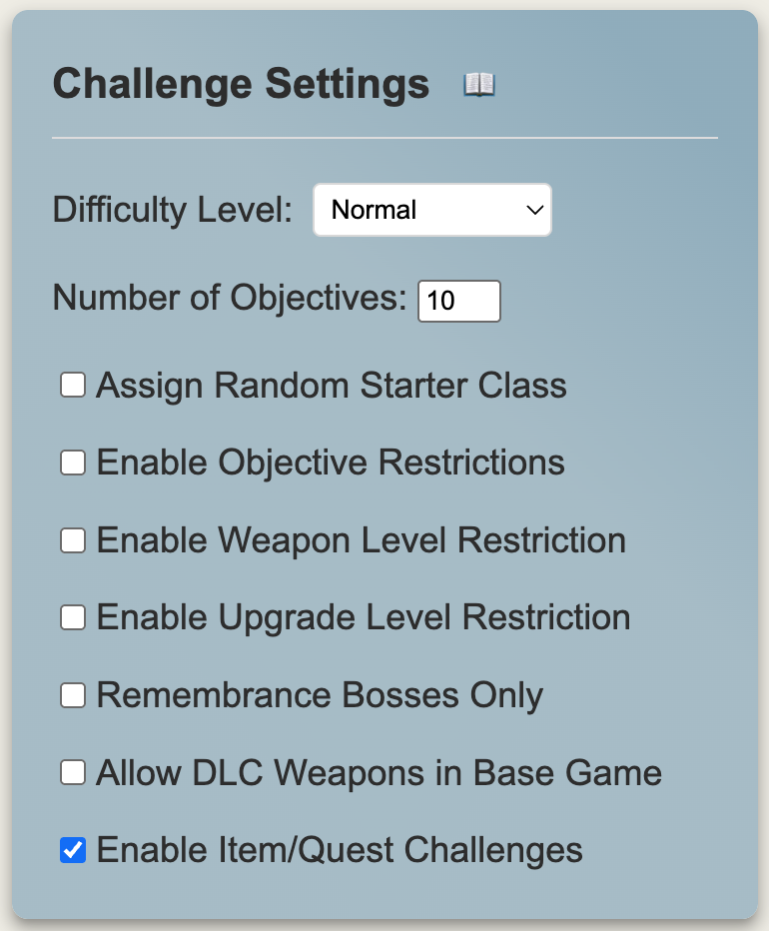
The Challenge Settings section contains the core options that determine the difficulty and constraints of your challenge run.
Difficulty Level
Controls the overall difficulty of the challenges generated:
- Easy: Reduced enemy counts and less demanding objectives. +20% to upgrade levels, -10% to character level requirements. Best for learning the game or casual challenge runs.
- Normal: Standard challenge difficulty. Base upgrade levels and character requirements. Good for experienced players.
- Hard: Increased enemy counts and more demanding objectives. -20% to upgrade levels, +15% to character level requirements. For seasoned players looking for a challenge.
- Expert: Significantly increased difficulty. -45% to upgrade levels, +40% to character level requirements. For veterans seeking a serious challenge.
- Legendary: Maximum difficulty setting. -70% to upgrade levels, +70% to character level requirements. The ultimate test of skill.
Number of Objectives
Determines how many challenges are generated per area/region or overall:
- For Entire World mode: Total number of challenges
- For Area Locked mode: Number of challenges per area
- For Selected Areas mode: Number of challenges per selected area
- For Selected Regions mode: Number of challenges per selected region
Maximum value is 40. Higher numbers create longer, more comprehensive challenge runs.
Assign Random Starter Class
When enabled, this option randomly assigns one of Elden Ring’s starting classes to your challenge run. The starting class will be displayed at the top of your challenge list and remains fixed for the entire challenge run. This adds an extra layer of roleplaying and restriction to your challenges, as you’ll need to consider your class’s starting attributes and equipment when tackling the objectives.
Available starting classes include:
- Astrologer: Intelligent sorcerer who manipulates glintstone
- Bandit: Dangerous outlaw skilled with ranged weapons
- Confessor: Church spy adept at both sword and incantations
- Hero: Powerful warrior from a nomadic tribe
- Prisoner: Once-noble spellblade, skilled in both sword and sorcery
- Prophet: Solitary wanderer wielding healing incantations
- Samurai: Skilled warrior from the Land of Reeds
- Vagabond: Knight exiled from their homeland
- Warrior: Nimble fighter skilled in dual-wielding
- Wretch: Naked warrior who must earn every piece of equipment
The assigned class persists when saving and loading challenge progress, ensuring consistency throughout your challenge run.
Enable Objective Restrictions
This setting controls whether challenge objectives display additional modifier restrictions that can be applied to certain challenge types.
When enabled, eligible challenges may include special modifiers such as:
- “Complete without using more than 3 healing flasks”
- “Use the weapon in your off hand only”
- “Complete without wearing any armor”
- “Complete hitless”
When disabled, challenges show only the core objective text without any additional modifiers, focusing purely on the base requirements.
This feature allows you to control the complexity of your challenges – enable for added difficulty and variety, or disable for straightforward objective completion.
Enable Weapon Level Restriction
When enabled, adds maximum weapon upgrade level requirements to challenges based on the area and difficulty level. Forces you to use lower-level weapons in appropriate areas, preventing over-leveling.
Example restrictions:
- Early areas might limit you to +3 weapons
- Mid-game areas might allow up to +15
- Late-game areas allow fully upgraded weapons
Enable Upgrade Level Restriction
When enabled, adds maximum character level (Runes) and Scadu Fragment upgrade requirements to challenges. Prevents over-leveling and maintains intended progression difficulty.
Restrictions scale with:
- Area requirements (higher level caps in later areas)
- Difficulty setting (lower caps on higher difficulties)
- Game progression (gradual increase in allowed levels)
Remembrance Bosses Only
When enabled, the generator will ONLY create boss-related challenges, and these will ONLY use remembrance bosses (such as Malenia, Mohg, etc.). This creates a focused boss rush challenge run with only the game’s most demanding encounters.
- Limited to remembrance bosses from available scope (Base/DLC/Both)
- In Area Locked mode, restricts to 1 challenge per area
- Ideal for:
- Boss rush challenges
- Remembrance boss practice
- Speed boss kills
- No-hit boss attempt
Allow DLC Weapons in Base Game
Available only in Entire World mode
When enabled, DLC weapons can be included in challenges set in base game areas. This adds variety to your weapon options but requires owning the DLC to complete certain challenges (but who wouldn’t want to explore the Land Of Shadow). It’s also means that you have to enter the DLC first and obtain a weapon of the required weapon type before you can complete the challenge.
Enable Item/Quest Challenges
Available only in Entire World mode
When enabled, includes special challenges related to:
- Collecting specific items
- Completing NPC questlines
- Finding hidden locations
- Gathering upgrade materials
- Obtaining specific Spirit Ashes
These challenges add variety and exploration elements to your run but may require more game knowledge and a longer playing time to complete.
Impact on Challenge Generation
These settings work together to create a customized challenge experience:
- Difficulty Level affects:
- Challenge objectives complexity
- Number of enemies required
- Upgrade/level restrictions
- Boss selection
- Challenge modifiers frequency
- Restrictions affect:
- Area progression requirements
- Equipment limitations
- Challenge completion difficulty
- Overall run complexity
- Challenge Types affect:
- Variety of objectives
- Run length and complexity
- Required game knowledge
- Exploration requirements
Consider combining settings thoughtfully to create a challenging but achievable run that matches your skill level and goals.
Challenge Scope
Challenge Scope determines which parts of Elden Ring are included in your challenge run. This setting affects available regions, enemies, bosses and weapons.
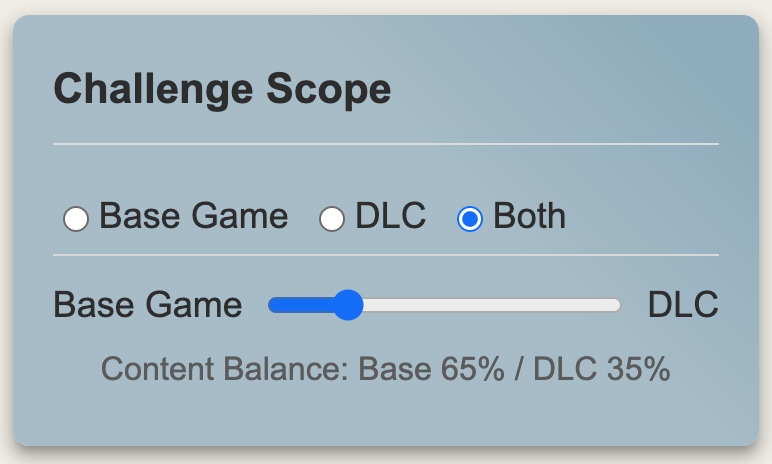
Base Game
Restricts challenges to content from the original Elden Ring release:
- Regions: Limgrave, Weeping Peninsula, Liurnia, Altus Plateau, etc.
- Base game bosses only (e.g., Margit, Malenia)
- Base game enemies and NPCs
Best for:
- Players who don’t own the DLC
- Learning the base game content
- Traditional challenge runs
- Speedrunning practice
DLC
Focuses challenges on Shadow of the Erdtree content:
- DLC regions only (e.g., Scadu Altus)
- DLC bosses and enemies
- Both base game and DLC weapons are available
- DLC-specific NPCs and questlines
Best for:
- Players focusing on DLC content
- Learning DLC areas
- Testing skills with new content
- DLC-specific challenge runs
Both
Includes all content from both base game and DLC:
- All regions available
- All bosses, enemies, and NPCs
- Full weapon selection
- Mixed challenge types
When “Both” is selected in Entire World mode:
- A content balance slider appears
- Adjust the ratio of base game vs. DLC content
- Higher DLC percentage increases probability of DLC-area challenges
- Lower DLC percentage focuses more on base game content
Best for:
- Players who want full content variety
- Long, comprehensive challenge runs
- Mixed content exploration
- Complete game mastery
Impact on Challenge Types
The scope setting affects:
- Available Regions:
- Determines where challenges can take place
- Affects travel requirements
- Influences equipment availability
- Enemy Selection:
- Controls which enemies can appear in challenges
- Affects difficulty due to enemy movesets
- Influences required strategies
- Boss Challenges:
- Determines available boss fights
- Affects remembrance boss selection
- Influences challenge difficulty
- Weapon Requirements:
- Controls available weapon types
- Affects upgrade materials needed
- Influences build possibilities
- NPC Interactions:
- Determines available NPC quests
- Affects invasion challenges
- Controls item collection requirements
Choose your scope based on:
- Which parts of the game you own
- Your familiarity with different areas
- Your preferred content focus
- Your desired challenge variety
Challenge Mode
Challenge Mode determines how challenges are organized and progressed through. Each mode offers a different approach to structuring your challenge run.
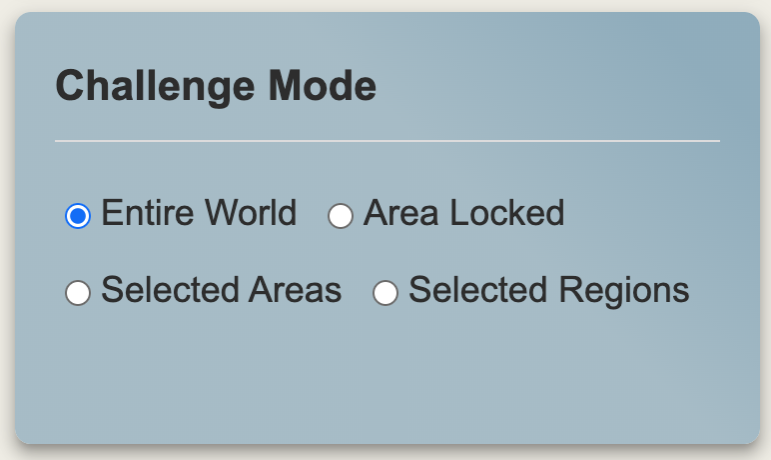
Entire World
The most freeform mode, generating challenges across all available areas:
- Challenges can appear in any valid region
- Complete challenges in any order
- No area restrictions or prerequisites
- Maximum freedom of movement
Best for:
- Open world exploration
- Non-linear progression
- Mixed difficulty experiences
- Speedrunning practice
- Randomized challenge runs
Features available only in Entire World mode:
- Allow DLC Weapons in Base Game option
- Enable Item/Quest Challenges option
- Content balance slider (when scope is “Both”)
Area Locked
The game is split up into 9 areas, each consisting of a certain amount of regions/legacy dungeons. The area names have been chosen to summarize the regions under a somewhat matching and meaningful name (and because it looks a lot nicer, than just giving them numbers). Here is how the game regions are (currently) partitioned into areas – this is also the order in which you have to complete the challenges to progress:
Stormveil Expanse:
Limgrave, Weeping Peninsula, Stormveil Castle (with Stormhill)
Lucarian Waters:
Liurnia of the Lakes, Raya Lucaria Academy, Ainsel River
Scarlet Abyss:
Caelid, Siofra River, Nokron
Rotbound Highlands:
Deeproot Depths, Lake of Rot, Altus Plateau
Eternal Pyre:
Mount Gelmir, Capital Outskirts, Leyndell Royal Capital, Forbidden Lands
Frozen Pinnacle:
Mountaintops of the Giants, Consecrated Snowfield, Miquella’s Haligtree
Ashen Crown:
Elphael Brace of the Haligtree, Crumbling Farum Azula, Leyndell Ashen Capital
Cerulean Frontier:
Gravesite Plain, Belurat, Tower Settlement, Castle Ensis, Rauh Base, Cerulean Coast, Finger Ruins Of Rhia, Scadu Altus
Shadowed Depths:
Charo’s Hidden Grave, Jagged Peak, Abyssal Woods, Enir-Ilim, Ancient Ruins Of Rauh, Scaduview, Shadow Keep, Recluse River
Progress through the game area by area in a fixed order:
- Areas follow logical game progression
- Must complete all challenges in current area to unlock next
- Forces methodical progression
- Challenges are area-appropriate
- Fixed progression path based on game’s natural flow
Best for:
- Structured progression
- Learning area layouts
- Methodical exploration
- Natural difficulty scaling
- First-time challenge runners
Selected Areas
Choose specific areas to include in your challenge run:
- Pick any combination of available areas
- Challenges generated only for selected areas
- Complete areas in any order or optionally decide for yourself to tackle one area after the other
- Customize run length and difficulty
- Mix base game and DLC areas (if available)
- Some item/quest related challenges are not available in this mode, as you cannot complete them within a single area
Best for:
- Practicing specific areas
- Custom difficulty curves
- Shorter challenge runs
- Area mastery
- Specific achievement hunting
Selected Region
Focus challenges on specific individual regions:
- Choose one or more regions
- More granular than area selection
- Challenges confined to chosen regions
- Great for focused practice
- Detailed region exploration
- Some item/quest related challenges are not available in this mode, as you cannot complete them within a single region
Best for:
- Region-specific practice
- Learning enemy layouts
- NPC quest practice
- Focused farming runs
- Achievement cleanup
Impact on Challenge Generation
The mode affects several aspects of challenge generation:
- Challenge Count:
- Entire World: Total number of challenges
- Area/Region modes: Challenges per area/region
- More challenges = longer runs
- Difficulty Scaling:
- Entire World: Mixed difficulty
- Area Locked: Progressive scaling
- Selected: Based on chosen locations
- Requirements:
- Weapon levels scale with mode
- Character level recommendations adjust
- Equipment availability varies
- Special Features:
- Entire World: All features available
- Area Locked: Progression tracking
- Selected: Custom combinations
- Timer Usage:
- All modes support timing
- Progress tracking varies by mode
- Completion requirements differ
Choose your mode based on:
- Your playstyle preference
- Available play time
- Learning objectives
- Practice goals
- Desired structure level
Weapon Selection
Weapon Selection controls which weapons you’ll use during your challenge run. This system offers both randomized and customized approaches to weapon selection.
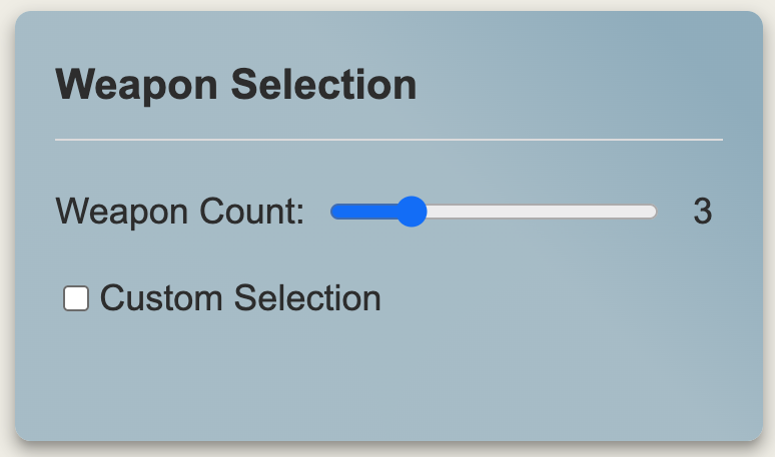
Weapon Count
When using random selection (default):
- Slider determines how many weapon types are available
- Minimum: 1 weapon type
- Maximum: Based on total objectives (can’t exceed 10 at this moment)
- Selected weapons remain constant for entire challenge run
- More weapons = more variety and flexibility, but requires more effort to obtain and update
- Fewer weapons = more focused mastery
The maximum weapon count is calculated as:
- Entire World: Number of objectives
- Area Locked: Objectives × Number of areas
- Selected Areas: Objectives × Number of selected areas
- Selected Regions: Objectives × Number of selected regions
Custom Selection
Enable “Custom Selection” for manual weapon choice:
- Checkbox list of all available weapon types
- Select any combination of weapons
- Number of selections limited by total objectives
- Disabled weapons indicate scope/availability restrictions
- Selection affects challenge generation

Available weapons depend on:
- Challenge Scope setting
- Game mode selection
Control Buttons
The control section contains four essential buttons for managing your challenge run.
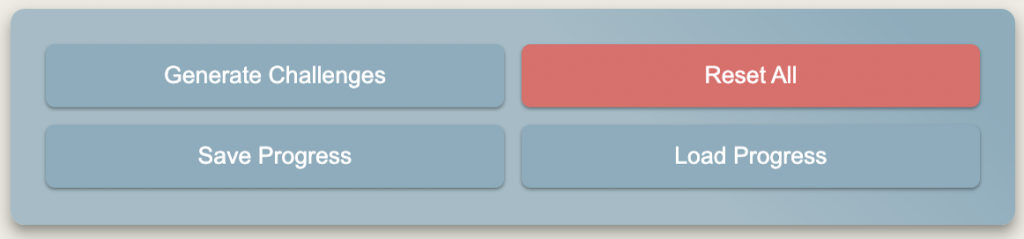
Generate Challenges
Primary button to create your challenge run:
- Creates new set of challenges based on current settings
- Resets any existing challenges and progress
- Validates all settings before generation
- Shows weapon selection results
- Enables timer controls
Generation checks:
- Selected areas/regions (if applicable)
- Valid weapon selection
- Compatible settings
- Maximum challenge count (50)
The button will be disabled if:
- No areas selected in Selected Areas mode
- No regions selected in Selected Region mode
- No weapons selected in Custom Selection mode
- Settings are incompatible
Reset All
Complete reset of the generator:
- Clears all current challenges
- Resets all settings to defaults:
- Normal difficulty
- Base Game scope
- Entire World mode
- 10 objectives
- 3 weapons (random)
- All restrictions disabled
- Timer reset
- Clears weapon selection
- Resets progress tracking
Requires confirmation to prevent accidental resets.
Save Progress
Saves your current challenge run state:
- All current challenges
- Completion status
- Timer state
- Current settings
- Selected weapons
- Area/region progress
- Countdown/stopwatch mode
Load Progress
Loads a previously saved challenge run:
- Restores all challenges
- Maintains completion status
- Recovers timer state
- Restores all settings
- Reestablishes weapon selection
- Recovers area/region progress
Loading will:
- Prompt for confirmation if current challenges exist
- Validate the save file
- Reset current state
- Restore saved state
- Update all displays
- Enable relevant controls
After loading a save file, all challenge settings will be locked to prevent accidental modifications during your challenge run:
- Challenge Settings (difficulty, objectives, restrictions)
- Challenge Scope settings
- Challenge Mode options
- Weapon Selection options
- Area/Region selections
- Content weight slider
To modify settings or start a new challenge run, you must either:
- Click “Generate New Challenges” to start fresh with current settings
- Use “Reset All” to restore default settings and start over
This lock-out ensures the integrity of your loaded challenge run and prevents unintended changes to the challenge parameters mid-run.
Impact on Challenge Run
These controls affect your run management:
- Progress Management:
- Start new runs (Generate)
- Abandon runs (Reset)
- Save runs for later
- Resume previous runs
- Run Integrity:
- Consistent challenge sets
- Progress preservation
- Setting persistence
- Timer state maintenance
- Flexibility:
- Pause and resume runs
- Share challenge sets
- Maintain multiple runs
- Track different attempts
Timer Controls
The Timer Card provides time tracking and challenge progression control. It becomes available after generating challenges.
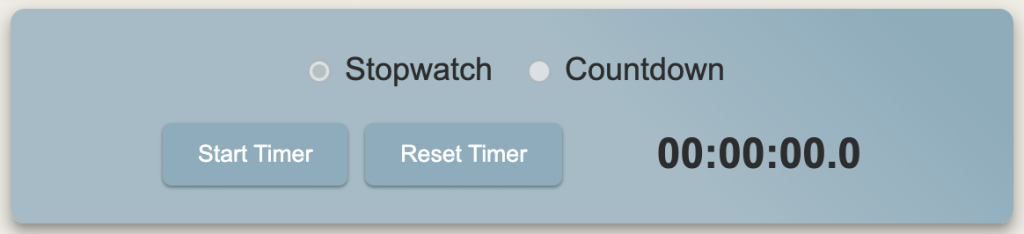
Timer Modes
Stopwatch Mode
- Counts up from 00:00:00
- Tracks total time spent
- No time limit
- Useful for:
- Speedrun practice
- Completion time tracking
- Casual challenge runs
- Learning attempts
Countdown Mode
- Counts down from set time
- Available durations:
- 30 Minutes
- 60 Minutes (default)
- 90 Minutes
- 120 Minutes
- 150 Minutes
- When time expires:
- Timer stops
- Challenges lock
- Progress saves
- Alert displays
- Useful for:
- Time-limited runs
- Challenge racing
- Focused practice
- Speed improvement
Timer Controls
Start/Stop Button
- Starts timer in selected mode
- Pauses current time
- Enables/disables challenge tracking
- When active:
- Challenges can be marked complete
- Progress counters work
- Time updates display
- When stopped:
- Challenges are locked
- Progress freezes
- Time display holds
Reset Button
- Resets timer to initial state:
- Stopwatch: 00:00:00
- Countdown: Selected duration
- Requires confirmation
- Also resets:
- Challenge completion status
- Progress counters
- Tracking state
- Does not affect:
- Generated challenges
- Selected settings
- Weapon selection
Timer Display
Shows time in HH:MM:SS.T format:
- HH: Hours
- MM: Minutes
- SS: Seconds
- T: Tenths of a second
Challenge Interaction
Timer state affects challenge tracking:
- When Timer Running:
- Challenges can be checked off
- Progress counters active
- Tracking enabled
- Auto-completion works
- When Timer Stopped:
- Challenges locked
- No progress changes
- Tracking paused
- State preserved
- After Reset:
- All progress cleared
- Challenges unmarked
- Counters zeroed
- Ready for new attempt
- On Time Expiry (Countdown mode):
- All controls lock
- Final state saves
- Results display
- Score calculates
Progress Tracking Features
Timer enables:
- Challenge Completion:
- Checkbox controls
- Progress counters
- Auto-completion logic
- State preservation
- Progress Indicators:
- Visual progress bars
- Completion percentages
- Challenge counters
- Time statistics
- State Management:
- Save current state
- Load previous attempts
- Compare runs
- Track improvements
Choose timer options based on:
- Run type (casual/competitive)
- Time constraints
- Practice goals
- Progress tracking needs
- Competition requirements
Challenges Display
The Challenges section shows your active challenges, tracks progress, and provides completion management.
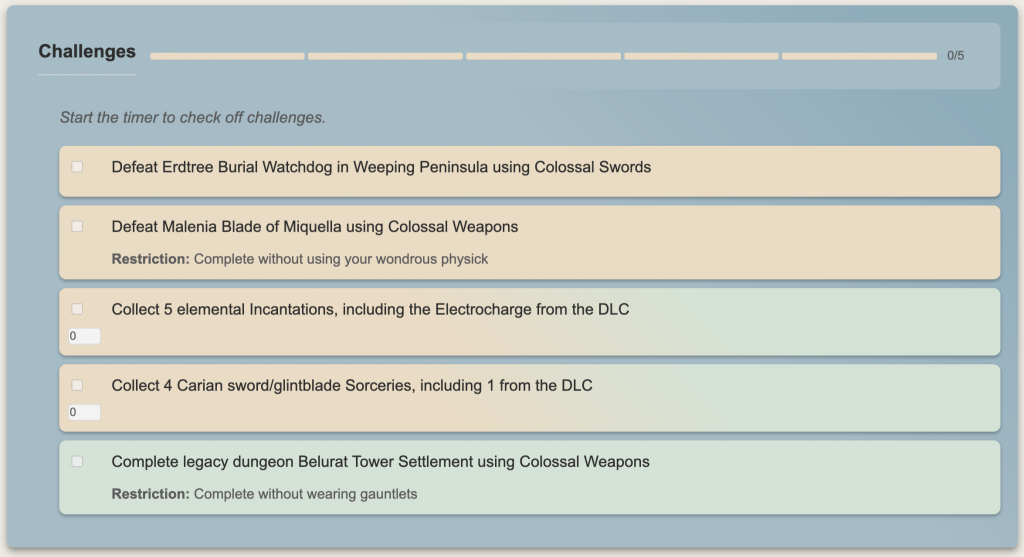
Challenge Header
The header provides a quick overview:
- Challenge count title
- Progress blocks visual indicator
- Empty blocks: Incomplete challenges
- Filled blocks: Completed challenges
- Numerical progress (e.g., “3/10”)
Challenge Organization
Challenges are organized based on mode:
Entire World Mode
- Single list of all challenges
- Complete in any order
- Mixed regions and types
- DLC challenges highlighted
- Challenges can be sorted using Drag&Drop to help you lay out a plan on how to tackle the challenges.
Area Locked Mode
- Grouped by game area
- Allows completing current area challenges only
- Progresses when area complete
- Shows area regions list
- Next area unlocks automatically
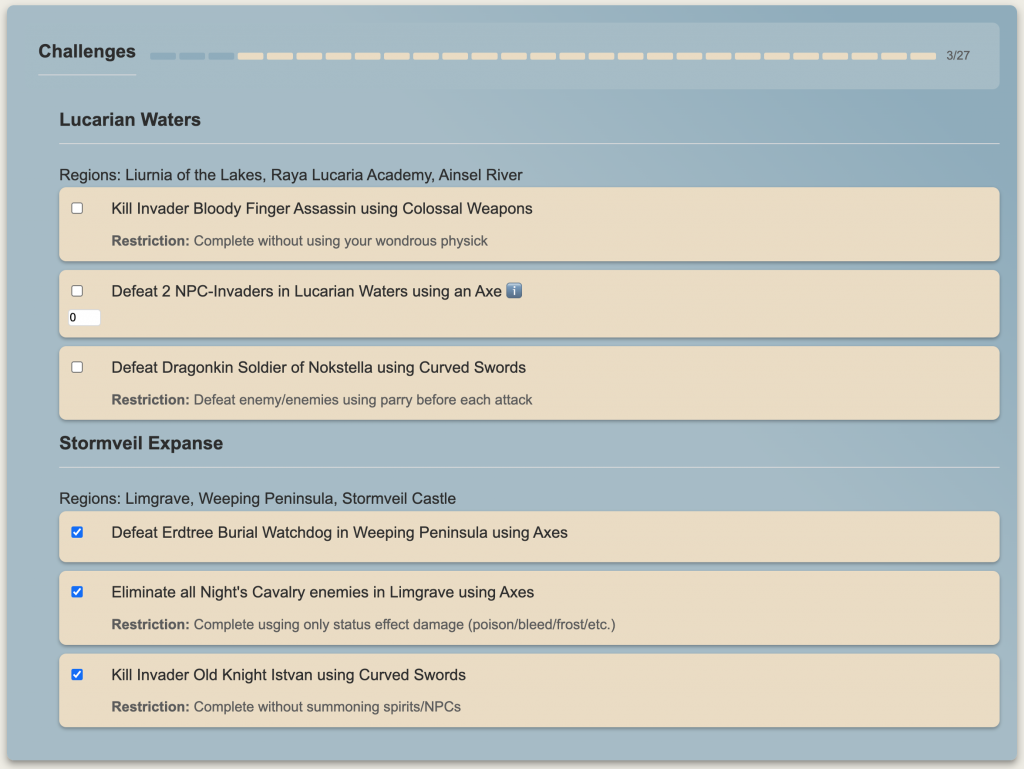
Selected Areas Mode
- Grouped by chosen areas
- All selected areas visible
- Region list per area
- Complete in any order
- Area progress tracking
Selected Region Mode
- Challenges for chosen regions
- No area grouping
- Region-specific objectives
- Free completion order
Individual Challenges
Each challenge entry shows:
Completion Controls
- Checkbox for completion
- Enabled when timer running
- Tracks completion state
- Updates progress display
- Progress counter (when applicable)
- Shows current/target counts
- Auto-completes at target
- Saves with progress
Challenge Information
- Challenge description
- Affected region/area
- Required weapons
- Special conditions
- Enemy/boss targets
Modifiers & Requirements
May include:
- Special restrictions
- Weapon level limits
- Character level caps
- Additional conditions
- Quest requirements
Special Features
- DLC Indication:
- DLC challenges highlighted in green
- Visual distinction
- Scope indication
- Content requirement clarity
- NPC Information:
- Info icons for NPC challenges in areas
- Hover tooltips
- Available invader lists
- Location hints
- Progress Tracking:
- Numeric counters
- Auto-completion
- Progress persistence
- Partial completion
- Completion Requirements:
- Clear objectives
- Target numbers
- Location specifications
- Special conditions
Known Inconveniences
It is possible that a restriction is assigned to a challenge and does not really make sense or is doable at all. In this case you are freed from enforcing it.
Even though restrictions are already divided into different categories that are assigned to challenges individually, there still is some room for improvement left. The matter will be addressed in the near future.
Future Features/Improvements
These are features and improvements I’m considering implementing or exploring. If you have any ideas for enhancing the generator, please feel free to share them.
- A “Crossover Challenges Only” checkbox
- Available only in scope “Both” with mode “Entire World”
- Create a list of challenges that require fulfilling tasks in the base game as well as in the DLC to complete
- Requires the creation of quite some new Crossover challenge templates first, that are doable, fun and challenging
- A Balance Slider to adjust the ratio between “fights” and “item/quest” related challenges
- Come up with more “area” related challenges, especially “item/quest” related stuff.
Brainstorming
- Challenge Categories & Filtering
- Add categories like “Combat Focus”, “Exploration”, “Collection”, etc.
- Let users exclude specific challenge types they don’t enjoy
- Advanced Timer Features
- Split timer support for individual challenges or areas
- Automatic checkpointing when entering new areas
- Community Features
- Share challenge sets via shareable links/codes
- Rating system for challenge combinations
- Allow users to submit custom challenge templates
- Advanced Weapon Selection
- Group weapons by playstyle (e.g., “Quick Weapons”, “Heavy Weapons”)
- Weapon progression paths (suggesting upgrades as you advance)
- Dual-wielding specific combinations
- Advanced Area Lock Features
- Sub-area locking (specific legacy dungeons/zones)
- Optional flex zones between areas
- Area difficulty progression paths
- Cross-area challenge chains
- Assign Specific Weapons
- Assign specific weapons to challenges instead of weapon types (e.g. “Complete dungeon Gelmir Heros Grave using the Golden Halberd”, instead of “Complete dungeon Gelmir Heros Grave using Halberds”)
- Requires to known what weapons are available in the current region, area or based on the game progress.